From cleaning and coding survey data to uncovering insights and building reports, Displayr puts AI to work across your entire research workflow. And unlike standalone AI tools, every result stays connected to your underlying data and analysis.
Chat is Displayr’s built-in AI assistant. Just type what you need, and it cleans data, builds tables and charts, applies your templates, and interprets results right in your document. Every change is listed so you can review it, and each set of changes can be undone in one click.
Spend less time on data preparation and more time on analysis. Displayr’s Data Prep Agent automatically cleans and structures your survey data, fixes variable labels, sets up rating scales and NPS scores, and flags low-quality responses. Tasks that once took hours can now be completed in minutes, with every change recorded for you to review. Get straight to analysis with clean, consistent data you can trust.
Give Displayr’s Research Agent your survey data and research question, and let it do the heavy lifting. It runs statistical analyses, creates crosstabs, charts and dashboards, uncovers key insights, and drafts recommendations. In minutes, you have a report to review rather than one to build from scratch. And because everything happens in Displayr, you can check the analysis, edit the results, and export to PowerPoint or Google Slides without having to start over.
Create beautiful, custom data visualizations with Displayr AI in minutes, without coding or specialist design skills. Simply describe the chart you want, from animated bar chart races to complex, interactive visualizations that once took days or weeks to build. Unlike static AI-generated charts, your visualizations stay connected to your data, update automatically when the data changes, and can be reused across projects. No coding, no specialist skills, and no need to start from scratch.
With Displayr Skills, you can teach AI how your team works. Create reusable instructions for your cleaning rules, standard analyses, and reporting conventions, all written in plain English, not code. Save a Skill once and your whole team can use it, or let Chat choose the right one automatically. Reduce repetitive work and keep your research consistent across projects.
Report Chat lets viewers of your published dashboards ask questions in plain English and get answers in real time – a quick summary, an explanation of an output, or the story across analyses. Every answer links back to the outputs it used, and it only sees what you’ve published.
Displayr AI reads through all your open-ended responses and identifies the key themes – like old-school verbatim coding, only smarter. Group related ideas, fine-tune themes as needed, or classify responses by sentiment, purchase intent, or any other signal you define.
Displayr combines AI with a powerful statistical engine, rather than relying on a language model alone. The numbers come from real crosstabs, significance tests, and weighting, not AI-generated guesses. Every figure can be traced back to the underlying analysis, so you can check the calculations, verify the results, and confidently share your findings with clients and stakeholders.
Start a free trial and run your own data through Displayr or book a demo and we’ll show you how research teams cut analysis and reporting time in half.

Founder, MAC Research

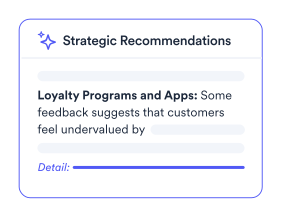
Turn tables, charts, and entire reports into clear summaries and strategic recommendations, without writing everything from scratch.
Translate and analyze open-ended survey responses across languages, making global research faster and easier.
Turn open-ended feedback into sentiment scores you can compare across audiences, segments, and survey questions.
Automatically flag nonsensical, irrelevant, or low-quality text responses so they don't distort your research findings.
Use plain-English prompts to extract brand mentions, classify responses, or create new variables tailored to you.
Create AI-generated summaries and custom outputs based on your data, then save them as templates for future projects.
SOC2 Type 2 Compliant, regional data hosting, SSO and MFA, end-to-end encryption, dedicated security team.
Dedicated 24/6 regional support, expert-led training, AI-chatbot, help centre, executive alignment, on-going reviews, certification.
Chat is Displayr’s built-in AI assistant. Type what you need, and it cleans and tidies data, builds tables and charts, applies templates, runs menu commands, and interprets results directly in your document. It also answers “how do I…” questions about Displayr. Learn more about Chat.
Yes. With Report Chat, viewers of a published dashboard can ask questions in plain English and get answers linked to the outputs they came from. Report Chat only uses what’s visible in the published dashboard, so you control what it can see. Learn more about Report Chat.
Skills are saved instructions, written in plain English rather than code, that tell Displayr’s AI how your team does things, such as your cleaning rules, standard analyses, and reporting conventions. Anyone on your team can run a skill, and Chat can choose the right one automatically. Learn more about Skills.
Yes. Displayr AI automatically identifies themes, categorizes responses, and generates intuitive labels. You can collaborate with the AI or let it handle classification end-to-end – making text analysis faster and more consistent.
Yes. Displayr AI supports instant translation across languages, even during theme creation and classification – ideal for working with international or multilingual survey data.
Absolutely. Save your team’s methods as Skills – plain-English instructions the AI follows every time – or connect your own data and build custom AI features.
It depends entirely on whether the AI can show its working. Displayr’s AI produces analysis from actual statistical output – crosstabs, significance tests, weights – so every number traces back to the data and method that produced it. If an AI tool can’t tell you where a figure came from, you can’t defend it to a stakeholder, and you shouldn’t put it in a report. That is the test we apply in our guide to AI market research tools.
The statistics are exact, because they’re computed by a statistical engine rather than generated by a language model. AI handles the parts where judgment scales badly – coding open-ends into themes, drafting commentary, flagging significant movements – and the numbers underneath come from the same tests you’d run manually. Accuracy questions with AI are usually really traceability questions: ask any vendor to show you where a number came from.
Displayr is SOC 2 Type 2 certified, with end-to-end encryption, regional data hosting, SSO and MFA, and a dedicated security team. Full details are in our Trust Center.
You can find the most up-to-date information on Displayr’s use of AI models here: FAQs about using AI in Displayr.
Yes – Displayr AI can be enabled or disabled at account level or per folder, so it stays off for clients whose contracts prohibit it. More information: Opting in and out of Displayr AI.