
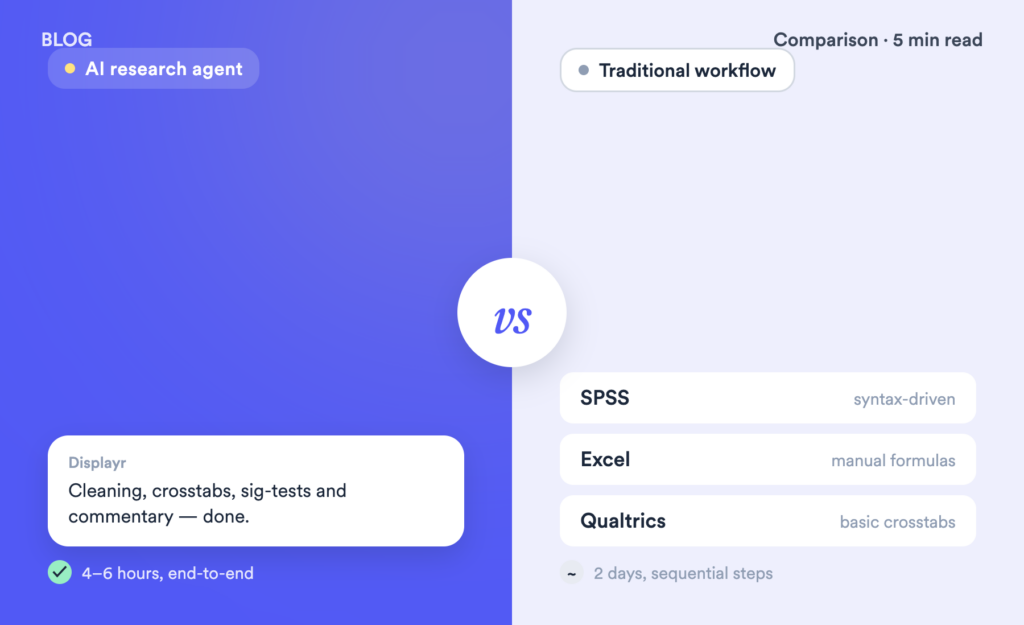
The average insights team spends 60–70% of their project time on analysis mechanics: cleaning data, building tables, coding responses, and formatting outputs. AI promises to change that. But how does it actually compare to the tools most researchers already use?
This post runs a direct comparison between an AI research agent and three traditional workflows: SPSS, Excel, and Qualtrics native analysis. We look at speed, statistical rigour, auditability, cost, and where each approach genuinely wins.
The comparison at a glance
| AI research agent (Displayr) | SPSS + PowerPoint | Excel | Qualtrics analysis | |
|---|---|---|---|---|
| Speed | Fully automated end-to-end workflow | Syntax-driven with every step built manually | Formulas and charts built by hand throughout | Fast for basic outputs but limited in depth |
| Statistical rigour | Full statistical engine with best-practice defaults | Gold standard for custom statistical analysis | No built-in significance testing | Basic crosstabs only |
| Auditability | Every calculation traceable to source data | Syntax files log every step | Formula chains are difficult to audit | Outputs are not transparent |
| Cost | Platform subscription | Software licence plus significant analyst time | Typically included in Office subscription | Bundled within Qualtrics contract |
| Learning curve | Conversational interface requires minimal training | Requires formal statistical training | Familiar interface but entirely manual | Minimal training required |
| Best for | End-to-end commercial MR, recurring studies | Custom statistical analysis, academic research | Ad-hoc internal reporting, simple data | Pulse checks, basic survey reporting |
Speed and time-to-insight
This is where the gap between AI and traditional survey analysis methods is largest. Traditional workflows involve sequential, manual steps, and each step is a potential bottleneck. SPSS requires syntax to be written for every analysis. Excel requires formulas and charts to be built by hand. Qualtrics produces outputs quickly but lacks the depth most researchers need for client-ready deliverables.
An AI research agent operates differently. Rather than requiring you to specify each step, it runs the entire workflow in sequence, automatically: cleaning, tabulation, significance testing, open-end coding, commentary writing, and output assembly. You review the output rather than build it.
Statistical rigour: where traditional tools still have an edge
This is the most important nuance in any comparison of AI and traditional survey analysis. SPSS remains the gold standard for deep statistical work, including structural equation modelling, complex experimental designs, and advanced multivariate analysis. If you are running academic research or highly bespoke statistical work, SPSS or R gives you more control and flexibility. It’s also worth noting that Research Agents are great at following a specific workflow, but if the project requires some customization in the analysis the agent will not have the flexibility to handle this.
For the majority of commercial market research, however, the required techniques are all built into Displayr’s Research Agent and applied automatically using best-practice defaults. Crosstabs, chi-square, t-tests, driver analysis, MaxDiff, conjoint, and segmentation are handled without manual configuration. The right test is selected based on variable type, not left to the analyst to specify each time.
The question for most research teams is not which tool has more statistical capability. It is whether the tool applies the right method for their data automatically, without requiring manual configuration on every project. For standard commercial MR workflows, a properly built AI research agent answers yes.
For a deeper look at AI applied specifically to quantitative methods, see our guide to AI in quantitative market research.
Auditability: can you explain the outputs?
One of the most common objections to AI-generated analysis is the black box problem. If a client asks how you got a number, can you answer?
The answer depends entirely on the tool. Displayr’s Research Agent is designed to be auditable. Every calculation shows which data it used, which test it applied, and what the result was. You can drill into any figure in a table and trace it back to the raw data without anything hidden behind a model you cannot inspect.
Compare that to Excel, where a chain of VLOOKUP formulas and pivot tables is technically traceable but practically impenetrable for anyone who did not build it. SPSS syntax files are better, since everything is logged, but they require statistical training to interrogate. Qualtrics outputs do not expose methodology at all.
For professional research, auditability is not optional. If you cannot explain a number, you cannot defend it to a client.
Where each approach wins
Choose an AI research agent if:
- You run recurring studies such as trackers, waves, or omnibus surveys where automation compounds over time
- Your team spends significant hours on report assembly and PowerPoint formatting
- You need open-end coding at scale without adding headcount
- You want outputs you can verify, not just outputs that look right
Choose SPSS if:
- You are running academic or highly custom statistical analysis beyond standard MR techniques
- Your organisation has deep SPSS expertise and existing syntax libraries built over years
- You need structural equation models, complex experimental designs, or advanced multivariate methods
Choose Excel if:
- You are doing quick, ad-hoc analysis for internal audiences where presentation quality is not critical
- The dataset is small and the output is simple
- Budget is the primary constraint, though be honest about the hidden cost of analyst time
Choose Qualtrics native analysis if:
- Survey collection and basic cross-tabulation is sufficient for your needs
- You are an in-house team running quick pulse checks rather than full research projects
- You are already heavily invested in the Qualtrics ecosystem and do not need to go deeper
The honest assessment
AI research agents are not a universal replacement for traditional survey analysis tools. SPSS still wins on raw statistical depth. Excel still wins on cost for simple, internal use cases. Qualtrics analysis still wins on speed for basic survey reporting within its own ecosystem.
Where AI research agents win decisively is on the end-to-end workflow for standard commercial market research. If your team runs survey projects that follow a predictable structure, an AI research agent built on a proper statistical engine will make you significantly faster without trading away methodological quality or the ability to explain what you produced.
The question is not whether AI will change how survey analysis is done. It is whether your team is positioned to benefit from that change now.
Frequently Asked Questions
What is an AI research agent?
An AI research agent is software that autonomously performs multi-step research tasks, including cleaning data, running analyses, coding open-ended responses, and writing reports, rather than just answering single questions. Unlike general-purpose AI tools, a purpose-built research agent runs on a real statistical engine and produces auditable, methodologically sound outputs you can verify and defend.
Is AI better than SPSS for survey analysis?
For standard commercial market research, yes. An AI research agent automates the full workflow and applies the right statistical tests automatically, faster than SPSS syntax-based analysis. For complex or custom statistical work such as structural equation models or advanced multivariate analysis, SPSS still offers more depth and control. The right answer depends on your specific workflow.
Can an AI research agent replace a research analyst?
No, and the best ones are not designed to. An AI research agent automates the mechanical parts of analysis: cleaning, tabulation, open-end coding, and report assembly. The judgment layer, which includes interpreting findings in context, understanding what matters to the client, and making strategic recommendations, still requires a human researcher.
How accurate is AI-generated survey analysis?
It depends on the tool. AI tools that generate text about data, like ChatGPT, are not running real statistical tests and can produce plausible-sounding but incorrect analysis. AI tools built on a proper statistical engine apply the same tests a trained analyst would, automatically, and produce outputs you can audit. Always check whether the tool you are evaluating is actually running statistics or just summarising.
Conclusion
AI research agents are not a universal replacement for traditional tools, and the comparison is not as simple as faster versus slower. Different tools have genuine strengths for different use cases. But for insights teams running standard commercial survey projects, the time-to-insight gap between an AI research agent and traditional workflows is now large enough to be a competitive issue.
If your team is still spending two days building a tracker report that could be reviewed and signed off in half the time, it is worth seeing what the difference looks like with your own data.
Try Displayr free, no setup required.